

Featured Course:
Capture stunning photography with the camera you already own.
Learn More

Photo editing apps are crucial to any phone photographer’s arsenal. These smartphone apps can perform many adjustments, from enhancing detail to removing unwanted items. They allow us to tweak our images to get the best possible tones and colors out of any environment. The best free photo editing apps will improve…
By N Constant

Today, we are looking at Lightroom lens correction tools. Adobe Lightroom is an all-in-one editing and organization software for photographers. This digital editing software includes various ways to correct images, from cropping to lens correction. Lightroom lens correction is as simple as it gets. Adobe provides an automatic function and…
By N Constant

Learning how to use water in landscape photography is vital if you want more impactful images. Lakes, coastlines, and beaches make excellent landscape locations, but they all have different quality when photographed. This article is an introduction into how you can use water in landscape photography. We look at the…
By Christopher Bryan-Smith

Investing in the best smartphone photography gear is a great way to boost your results. Smartphone cameras are one of the most accessible entry points into the wonderful world of photography. And with a couple of smartphone camera accessories, you capture pro-level photos. This article covers all the essential smartphone…
By Christopher Bryan-Smith

Using lines in photography composition is a great way to make your images more powerful. A straight horizon or a series of street markings, lines can be a photographer’s best friend. They can add structure or a sense of direction, adding more meaning to your photographs. This article is the…
By Christopher Bryan-Smith

Every photographer experiences a creative block or a period where they don’t feel inspired. That’s perfectly natural. But getting yourself out of that slump is key, which is why we’ve come up with these creative photography ideas. Experimenting with new creative photography ideas is a great way to reignite your…
By Christopher Bryan-Smith

When you need to convert RGB to CMYK in Photoshop for print projects, knowing the right steps can make your work more efficient. This article will guide you through the process, ensuring your colors remain vibrant and true to your original design. Step 1. Open the Image in Adobe Photoshop…
By Szilard Kovacs
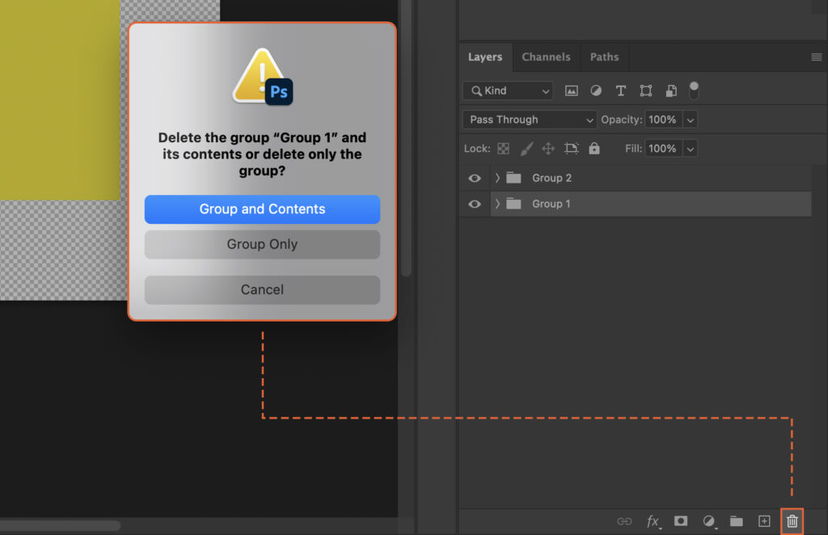
Managing numerous layers in Photoshop can be a daunting task. Learning how to group layers together not only simplifies your workspace but also streamlines your editing process. This article will guide you through the steps to effectively group and manage your layers in Photoshop. Step 1. Open the Layers Panel…
By Szilard Kovacs

Managing multiple layers in Photoshop can become confusing. This article shows how to Group Objects to streamline your workflow, enhance organization, and simplify transformations. Mastering this technique can lead to a more efficient and productive design process. Step 1. Open the Layers Panel In Photoshop, to view your layers, navigate…
By Szilard Kovacs

Experiencing slow performance or error messages in Photoshop? The culprit might be a full scratch disk. This article guides you through the process to clear scratch disk, enhancing your Photoshop experience by speeding up operations and preventing crashes. Step 1. Understand What a Scratch Disk Is A scratch disk is…
By Szilard Kovacs

Navigating how to delete a project in Photoshop can be a daunting task. This article guides you through the process, potentially saving you valuable time and ensuring you avoid any unnecessary stress or confusion. Step 1. Navigate to the Project File in Your System Now, you need to locate the…
By Szilard Kovacs

Clearing Photoshop Cache can significantly boost your application’s performance. This article provides a step-by-step guide to help you do just that, enabling smoother functioning and faster processing times. Step 1. Open the Photoshop Application Begin by launching the Photoshop application on your computer. You can do this by clicking on…
By Szilard Kovacs