Tag Archives: the harris shutter effect

Trick Photography and Special Effects eBook Review

I don’t know about you, but sometimes I can hit a brick wall, creatively speaking. And that’s why I love this trick photography and special effects ebook. It allows me to open up my eyes and mind to new and exciting photo ideas, which I may have never thought of myself.

This is Evan Sharboneau’s Trick Photography and Special Effects ebook. It’s currently available at a reduced price, for a limited time.

This ebook helps you to create some incredibly cool images, which will not only help you to be more creative, but will impress your friends too. You can view a selection of the photos here.

It’s one of the most popular photography ebooks on the market, and that’s for a pretty good reason…

Last week I conducted a survey of all my readers. I found that 40% of you said that one of the biggest problems you face is not being creative enough. A further 24% of you said that one of your favourite niches was special creative effects.

For anyone reading this, who feels that the same is true for themselves, I suggest you watch the video below, and read on.

This is more than just a 299 page trick photography and special effects ebook. There’s also 9 hours of how-to video tutorials, and over 300 creative photographs created by some of the most talented photographic artists around the world.

Pros and Cons of the eBook

Pros:

  • The 60 day money back guarantee really helps, if you’re not sure about whether you should buy it or not.
  • You don’t need any fancy gear to take the photos, just basic cameras with a manual mode.
  • You don’t need an extensive knowledge of photography or exposure either, that’s all covered too.
  • It really starts to get your creative juices flowing.
  • You don’t feel like you need to copy the same ideas, because there’s plenty of inspiration to come up with your own.
  • The videos were very helpful, because I don’t really like reading from a screen.
  • Links for everything you may need, such as torches and accessories.
  • A ridiculous amount of photos – lots of examples.
  • Produces interesting photos, not flowers and sunsets.
  • Easy to browse.

Cons:

  • It’s very lengthy, and if you wanted to carry it with you, it would be heavy to carry, and expensive to print.
  • It sometimes goes into more detail on some subjects, such as light painting, than it needs to.
  • Some tricks can appear to be easier than they actually are, although a little perseverance and experience goes a long way.

Trick Photography and Special Effects ebook Contents

There are three main sections, and then inside these sections there are chapters (the bullet points below). Within these, there are further subchapters. You can jump in at any point which takes your fancy, and get started straight away.

Here’s a list of everything you can expect from the ebook and videos.

Long Exposure Effects and Light Painting (119 Pages)

  • Long Exposure Effects and Light Painting
  • Fundamental Lights and Techniques
  • Other (more creative) Light Sources
  • Light Painting Techniques
  • Lightning
  • Motion blur
  • Star Trails
  • Other fun long exposures

sparkler firework light painting long exposure portrait girl photography1 Trick Photography and Special Effects eBook Review

Trick Photography and Special Effects (92 Pages)

  • In-Camera Illusions
  • 3D Stereoscopic Photography
  • High-Speed Photography
  • Bubbles
  • Smoke
  • Bokeh
  • Double Exposures
  • Birefringence
  • HDR Photography
  • Infrared Photography
  • 360X180 Planet Panoramas
  • Time-Displacement Photography via Scanner

360 tunnel tree nature1 Trick Photography and Special Effects eBook Review

Photoshop Projects (70 Pages)

  • Multiplicity Photography
  • Levitation Photography
  • The Invisible Man #1
  • The Invisible Man #2
  • Flesh Manipulations
  • Fake Tilt-Shift Photography
  • The Droste Effect
  • The Harris Shutter Effect
  • Mixing Day with Night

Levitation floating fruit1 Trick Photography and Special Effects eBook Review

Summary

It feels like it must have taken a very long time to complete this ebook and videos, as they’re very thorough. There are lots of tips and tricks, which I had never heard of, or thought of before. They range from using an elastic band and a wad of paper as a replacement for a shutter release cable, to using fire for light painting, and much, much more.

It really is a very extensive ebook.

If you’re looking to improve your photography, become more creative, impress your friends, and have more fun with photography, then I really don’t think you can go wrong with this trick photography and special effects ebook.

You can purchase it here. It’s reduced for a limited time, and there’s a 60 day refund period, so there’s zero risk.

Trick Photography and Special Effects eBook Review Trick Photography and Special Effects eBook Review

How To: The Harris Shutter Effect

Why you Should use The Harris Shutter Effect

The Harris Shutter effect is a lot of fun to play around with when you’ve got some spare time and is an easy way to impress friends. This effect can be used in just about any situation where you can keep the camera steady and is a great way to show movement in a photo.

What is the Harris Shutter effect?

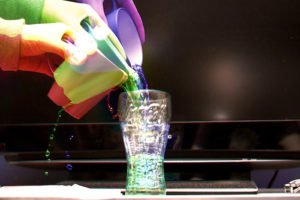
The Harris Shutter effect was created by Robert Harris of Kodak. The effect was originally created by re-exposing the same piece of film 3 times through 3 different colored filters while keeping the camera steady. The three colours used were red, blue and green (the colours of the spectrum) and in the areas where no movement takes place, those 3 colors combine to reproduce the original color. With the advent of photoshop and digital cameras, the whole thing can be done a lot easier and without the use of filters at all. This post will show you just how to produce the photo below.Harris Photos 2 How To: The Harris Shutter Effect

How it’s done

All the photographer has to do is to take 3 color photos of a scene that has a small amount of movement in it and an object that remains constant. In my example above, I used the rising smoke out of a glass jar. The jar is the constant, and the smoke is the movement. For this effect to work best, the photos are taken in quick succession like the one’s i’m using below. Harris Photos How To: The Harris Shutter Effect

Step by step guide

After setting up the shot and choosing 3 photos, you want to open the first image up into photoshop, or alternatively, the free program I like to use called Gimp. It’s not as good as photoshop, but in many ways it does much the same, and is ideal for what we’re going to do here.

Firstly, go to ‘Colors’ and select ‘Color Balance’ and boost the red level, while completely removing the green and blue level from that image. This is layer number 1.Harris 600 1 How To: The Harris Shutter Effect

Next, go to ‘File’ and select ‘Open as Layers…’ and select the second photo. Repeat the step above, but this time remove the red and blue levels while boosting the green.Harris 600 2 How To: The Harris Shutter Effect

Finally repeat the steps above, but for the blue channel.Harris 600 3 How To: The Harris Shutter Effect

At this point you will only be seeing the blue photo, so to merge all 3 photos into 1, you need to open the layers dialog. To do this, it’s usually ‘ctrl-L’ or ‘cmd-L’. Once open, select the first of the top 2 layers and go to the dropdown box next to ‘Mode:’ and select ‘Addition’ as demonstrated below. Repeat for both. This will allow you to see all 3 photos at the same time as 1 image finishing the effect. Harris 600 4 How To: The Harris Shutter EffectHarris 600 5 How To: The Harris Shutter Effect

Now all you have to do it save it down as the image format you want and you’re finished.Portfolio Export Print 18 How To: The Harris Shutter EffectHarris Photos 3 How To: The Harris Shutter Effect

If you have any questions, please feel free to leave a comment and we’ll get back to you.How To The Harris Shutter Effect How To: The Harris Shutter Effect