Tag Archives: night photography

17 Creative Photography Tutorials to Cure Boredom

Do you sometimes struggle to come up with creative photography ideas, and start to find photography a little bit boring?

You’re not alone. It’s often all too easy to forget what fun photography can be until you start look at the works of others for inspiration. Take these 17 creative photography tutorials for example, they all provide you with a different insight into how to create more interesting photos, for fun.

Night Photography

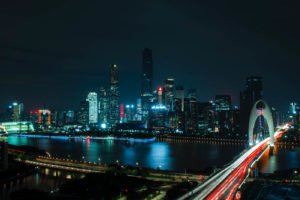
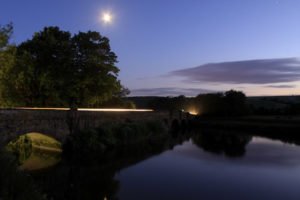
During the winter months, I used to find that I simply didn’t have time to take photos for fun during the day time anymore, which invariable left me turning to shooting outdoors at night. I didn’t really know what I was doing at first, but I soon learned, and started to love night photography.

You can learn all about night photography in this fantastic ebook: Seeing The Unseen – Landscapes at Night – $15

IMG 5512 17 Creative Photography Tutorials to Cure Boredom

The Brenizer Method

Wedding photographer Ryan Brenizer invented this really cool technique while on his honeymoon which is dubbed “The Brenizer Method”. For those who may or may not have heard of it and are not sure of what this technique is exactly, it’s essentially using a telephoto lens to create a very shallow depth of field as if shot with a wider angle lens. This technique makes a dSLR image look like it was shot by medium format.

brenzier method overlay sample bui photographypp w747 h747 17 Creative Photography Tutorials to Cure Boredom

High Speed Photography

Freezing fast motion (AKA High Speed Photography), can give some pretty special photographic effects. High Speed Photography is used in physics, health research, sports and more. This guide describes how to capture super fast movements using ordinary camera gear and a little home made electronics.

high speed photography glass 17 Creative Photography Tutorials to Cure Boredom

Smoke Photography

Smoke photography can be used to create some awesome looking effects, using flashes, torches, natural light and more, all in a very small space. Once you’re done, you can edit the smoke to appear in a different colour, and merge two photos together to make it appear as if the smoke has come from somewhere it’s not.

smoke photography 4 17 Creative Photography Tutorials to Cure Boredom

Macro Photography

Close-up photography is great for really bringing out the detail of your subject. In this macro photography tutorial, they tell you how to get the best results when shooting macro outside.

Third hand macro tool 17 Creative Photography Tutorials to Cure Boredom

HDR Tutorial

This tutorial will attempt to demonstrate how to make a realistic HDR, one that is virtually indistinguishable from a single exposure. The biggest goal is producing a tutorial that can stand as a standard by which anyone can learn to create a balanced HDR. Ultimately, the processing choices are yours. These are the building blocks.

Also in ebook form: HDR Photography Essentials Pack – $29.

217984503 7128bf9e8c 17 Creative Photography Tutorials to Cure Boredom

Panoramic Photos

Panoramas can produce some awe inspiring photos, providing the viewer with a much wider viewing angle than they would typically see, either from a photo, or their eyes. You can create small panoramas, merging just three photos, or go the full 360, and produce miniature globes like in this post here.

Portfolio Export Print 16 17 Creative Photography Tutorials to Cure Boredom

Milky Way

Learn how to take photos of The Milky Way from Jim Harmer over on Improve Photography. This is something I’ve always wanted to try, but living in the UK (which is much densely populated than the US), it’s hard to find a night sky which isn’t ruined by light polution.

pic 17 Creative Photography Tutorials to Cure Boredom

Slow Sync Flash

Slow sync flash is when you fire your flash either at the beginning or end of an exposure that’s slower than normal, for example 1/8 of a second. Anyone with experience behind a camera knows that it’s very hard to hold the camera steady enough for a sharp exposure at this sort of speed, and that’s where the flash comes in. By firing the flash, you freeze the motion and collect light trails in the remaining time, creating this rather cool effect, like in the photos below.

slow sync 2 1 17 Creative Photography Tutorials to Cure Boredom

Infrared Photography

Infrared, or “IR” photography, offers photographers of all abilities and budgets the opportunity to explore a new world – the world of the unseen. Why “unseen”? Because our eyes literally cannot see IR light, as it lies just beyond what is classified as the “visible” spectrum – that which human eyesight can detect. When we take photographs using infrared-equipped film or cameras, we are exposed to the world that can often look very different from that we are accustomed to seeing. Colors, textures, leaves and plants, human skin, and all other manner of objects can reflect IR light in unique and interesting ways, ones that cannot be mimicked with tools such as Photoshop.

This is also covered in the Trick Photography & Special Effects Ebook – $47.

Barboursville Vineyards 650x435 17 Creative Photography Tutorials to Cure Boredom

Tilt Shift Processing

A true tilt-shift photo is done using a tilt-shift lens, and they’re typically used for architecture photography, to fix the perspective of buildings when you look up. Recently though, the effect has been used in photoshop to create ‘model village’ style photos, making the whole scene look miniature.

Tilt21 17 Creative Photography Tutorials to Cure Boredom

Colorize a B&W Photo

The process of turning a black and white photo into color can be tricky, depending on the photo you’re working with. Adding color is simple. The tricky bit is the selection process. Without any color, objects have a tendency to blend with each other. This tutorial is meant to demonstrate the process of adding color to a black and white photo.

Airplane 17 Creative Photography Tutorials to Cure Boredom

Black & White Photography

Black and white is nothing new when it comes to art, it’s been going on since the beginning of time and art photography is similar in that it started out as black and white due to technical limitations, way before the dawn of colour film. Even though the majority of photography in done automatically on digital cameras, black and white photography still lives on today.

Union Station 1 17 Creative Photography Tutorials to Cure Boredom

ND Filter Long Exposure

Neutral density (ND) filters reduce the amount of light entering the camera, enabling a longer exposure time than otherwise possible. This can emphasize motion, or make an otherwise tumultuous scene appear surreal and quiescent. Alternatively, an ND filter also enables larger apertures, which can produce a shallower depth of field, or achieve a sharper photo. Either way, this is a useful and often under-appreciated filter that deserves a deeper look.

nd extreme1 17 Creative Photography Tutorials to Cure Boredom

Droste Effect

The Droste effect is an image effect named after a Dutch cocoa company called Droste. In 1904 it produced packaging for its cocoa product showing a woman carrying a tray with a box of cocoa and a cup on it. A small version of the package appeared on the cocoa box on the tray and so on – each version of the image being successively smaller than the last.

This can also be found here: Trick Photography & Special Effects Ebook – $47.

Photoshop droste effect before after tm 17 Creative Photography Tutorials to Cure Boredom

Light Painting

In short, it’s a fun, easy way of getting some really cool photos. You don’t need to spend hours looking for a cool location, light painting can be done just about anywhere, so just follow my step by step, insightful, thought process about taking great light painting photos and you’ll be well on your way.

Again, this is a chapter in: Trick Photography & Special Effects Ebook – $47.

IMG 9838 2011 05 04 at 23 42 08 17 Creative Photography Tutorials to Cure Boredom

Mini-Planet Polar Coordinates

To make a long story short: The “Polar Panorama Effect” is one of my favorite ways to process photos into unique pieces of art. It takes a panoramic (or landscape) photo and uses the Polar Coordinates filter of Photoshop CS or The Gimp to create a circular image that seems to wrap the panorama around a planet.

Guess what? You can also find it here: Trick Photography & Special Effects Ebook – $47.

screenshot5 17 Creative Photography Tutorials to Cure Boredom

17 Creative Photography Tutorials to Cure Boredom1 17 Creative Photography Tutorials to Cure Boredom

When to Use Different Shutter Speeds

I’ve covered shutter speed in great detail before, but recently this question popped up:

‘When would you typically use all the different shutter speeds?’

It dawned on me, that it wouldn’t hurt to provide a list of when you would typically use different shutter speeds, so here it is. Thanks to Carostory for the request. She’s taking my video training course and recently left me an awesome testimonial.

Different Shutter Speeds

You will notice that the shutter speed halves each time, which means that the exposure changes by 1 stop. There are third stops between these speed on cameras, but we’d be here all day if I went through them all.

A lot of the speeds listed below are dependant on how close the subject is to you, so bear that in mind. Also, this doesn’t really take exposure into consideration, this is purely about what you capture at these speeds.

1/4000 of a Second – Freezing really fast moving objects. Think of the sorts of things you may capture is a high-speed camera. A baseball pitch, a balloon pop, that sort of thing.

1/2000 of a Second – Freezing the flight of birds. They move their wings really fast so you have to crank up the shutter speed really high.

1/1000 of a Second - Freezing very fast moving objects, such as moving vehicles.

1/500 of a Second - This is where you will start to freeze fast moving people, such as runners and cyclists.

1/250 of a Second  - A great speed for freezing your still subject, without having to think too much about focal length and how that affects the motion blur. Great for portrait photography.

1/125 of a Second – You won’t typically want to go much slower than this if you’re shooting handheld, otherwise, you will likely capture motion blur from your hands. This is also where you will start to be able to use your shutter speed for panning.

1/60 of a Second – Again, this is a great speed for panning photography, and handheld photography in low light.

1/30 of a Second – This is about as slow as you will want to go while capturing panning photography, as much slower and your photo will become too much of a blur.

1/15 of a Second – You can mount your camera on a tripod at this speed and capture sight movement from moving objects. Think people walking, cars moving in traffic, water blurring slightly.

1/8 of a Second – Capturing motion blur in water.

1/4 of a Second – Blurred movement in a scene. Not so little that it appears accidental, but not so much that it’s hard to tell what’s going on.

1/2 of a Second – More motion blur, only much stronger than before. Think of water starting to appear like mist.

1 SecondTwilight photography. The sun may not be completely gone, but there’s not enough light to make up the exposure you’re looking for. You may incorporate a flash, and you’re more than likely using a tripod.

More than 1 Second – This is where night photography starts to come into play. You can play with different speeds and capture awesome nighttime photos.

Bulb Mode – This is used for exposures longer than 30 seconds, where you can manually control the exposure time with the shutter release. This is used for astrophotography where you may want to capture some stars. You may also use this mode for slow sync flash where you want to have immediate control of the shutter speed.

When to Use Different Shutter Speeds1 When to Use Different Shutter Speeds

Top 20 Photography Tutorials

I’ve written over 100 posts on this website now, and as I look back on it, I realise that a lot of it would probably be lost to many users, who have only started using the website recently. This is Expert Photography’s top 20 photography tutorials; they’re the most popular tutorials on my website, as decided by the visitors who viewed them. Hopefully you can find something new and learn something today.

#1 - 4 Steps To Mastering Creative Night Photography

If you look at my personal portfolio, you’ll notice that I’ve got a good amount of night photography in there, and that’s because night-time is one of my favourite times to shoot. Shooting at night for me, came about from the fact that I didn’t really have too much free time in the day, so I would go out and practice my photography with some friends at night. It’s a slightly harder skill to master because the shots take longer to expose, I liken it to shooting on film; you think a lot more about your settings and composition before you shoot, which helps you to hone in your skill much quicker.night Top 20 Photography Tutorials

#2 - 4 Steps To Understanding ISO

ISO is one of three factors which determine the exposure of a photo, along with aperture and shutter speed. To really get the most out of your photos you need to know what all 3 do and how you can use them. Read this post to gain a more in depth knowledge of how to use your camera properly and start taking expert photos. ISO doesn’t just effect the exposure of the photo, there’s also grain/digital noise, and the more you understad about what it does, the better your photos will come out.iso Top 20 Photography Tutorials

#3 - Top 10 Photography Clichés You Should Avoid To Improve Your Photography

Photography is subjective, and people’s opinions on what’s cliché and what’s not is entirely up to them. Everything in moderation is the key to avoiding cliche photos, as you can get away with doing certain things a few times before it becomes boring and repetitive. If you’re new to photography, then avoiding the list of cliches below will help you to avoid taking photos that may well be dismissed as amateur.

A good photo will stand up to criticism, without the need for clichés or post processing.cliches Top 20 Photography Tutorials

#4 - 4 Steps To Understanding Focal Lengths

Knowing what the focal length means, especially in relation to your camera, is very important when it comes to buying lenses. This post will leave you well informed with the correct information at to what the lenses do, which ones are right for you, how to use them creatively, and all the technical speak you’ll need. It’s not just a case of how much a lens zooms, you’ve also go to be aware of the changes in perspective and the crop factor. This tutorial has had a steady stream of visitors since I posted it. focal length comparison Top 20 Photography Tutorials

#5 - 4 Steps To Understanding Shutter Speed and Its Creative Uses

Shutter speed is the most obvious of the 3 factors that create an exposure, and it has the biggest effect to your photos. With a poor knowledge of how the shutter speed will affect your photos, you’ll end up with blurred results. This post teaches you the right speed for the right situation, as well as how to use the shutter speed creatively. This was the first thing I learned when I started photography, so that’s probably why I play around so much with different speeds and night photography.Shutter speed 7 Top 20 Photography Tutorials

#6 - 10 Reasons Your Photos Suck

If you’re trying to improve your photography, then it helps to know where you’re going wrong. This article is all about pointing out where you’re going wrong and what you should be doing to fix it. It’s not easy taking consistently good photos, but once you’ve gotten the hang of it, it becomes incredibly rewarding. I wish someone had pointed out where I was going wrong back when I started, I’m positive that I would have improved at a much faster rate. photos suck Top 20 Photography Tutorials

#7 - How To: Shooting Into The Sun

Spring and summer is a great time to be outside, utilising the light that sun provides us, and shooting into the sun is a really creative way of capturing this. Shooting into the sun produces lens flare, but instead of it damaging your photos, you can learn to use it creatively to get spectacular results. It used to be something that I feared when taking photos, but now I embrace it, and adjust my exposure to produce some awesome results.shooting sun Top 20 Photography Tutorials

#8 - 10 Embarrassing Mistakes I Made As A Beginner Photographer

When I first bought my camera, I read the manual straight away; I used to take it on photo walks and read it before bed. This wasn’t really like me, but I knew I wanted to become good at photography and to do so, I was going to have to learn. I’d encourage everybody to do the same, but there’s only so much you can read in there; websites with lots of photos like this are much better. Here’s a list of stupid mistakes I made. How many have you made? How many are you still making?embarassing mistakes Top 20 Photography Tutorials

#9 - 4 Steps To Understanding White Balance

If you’ve ever taken photos indoors, without a flash, and wondered why everyone looks so orange, then this post will definitely help you. White balance can be hard to master at first, but once you understand it a little more, it can become quite intuitive, and understanding white balance is absolutely key to making your photos look good. Auto white balance just isn’t up to the job these days, and I’ve noticed this particularly with Canon cameras, so the faster you learn, the sooner you’ll start producing better results. wb Top 20 Photography Tutorials

#10 - How To: The Harris Shutter Effect

The Harris Shutter effect is a lot of fun to play around with when you’ve got some spare time and is an easy way to impress friends. This effect can be used in just about any situation where you can keep the camera steady and is a great way to show movement in a photo. It works by taking a sequence of photos and overlaying them in Photoshop or GIMP, and using different colour channels to overlap them.Harris Photos 2 Top 20 Photography Tutorials

#11 - 20 Photos And Tips For Shooting With Your Aperture Open

Shooting with the aperture wide open is a really good way of taking soft, naturally lit photos, as the aperture produces a shallow depth of field, and allow the maximum amount of light in. It’s also a great way of drawing the viewers eye to a certain part of the photo, as the majority of the photo will be out of focus. The photos in this post were shot on 3 different lenses; a 24-70 f/2.8, a 35mm f/1.4 and a 50mm f/1.8, and even though the maximum aperture varies, they were still shot at their maximum.open aperture Top 20 Photography Tutorials

#12 - 10 Top Tips To Taking Sharper Photos

Quality photos come from a good knowledge of how to take them properly. Taking sharper images are isn’t actually nearly as hard as you may think, the techniques are simple, and easily achieved by most people. I get asked all the time how I manage to take such sharp photos, and that’s the reason that I wrote this tutorial. This list will help you improve your images, to get the sort of detail you’ve been looking for, in 10 easy steps.sharper Top 20 Photography Tutorials

#13 - Understanding Metering Modes

Metering is the process that the camera goes through to look at a scene and work out what the exposure should be. There’s a variety of different modes that you can use to best suit the type of photo that you’re taking and in this post we’ll be looking at exactly what the modes do and when you should be using them. Simply switching from spot metering to evaluative metering can have a massive difference, like it’s had in the photo below. It ignores the sun from the sky, and meters for the majority of the scene.metering Top 20 Photography Tutorials

#14 - How To: Working With A Model

Working with models is a great way to experiment with photos that you couldn’t take on your own, and it often leads to even better photos as you have someone to bounce ideas off. This post covers everything you need to know about working with a model and how to act professionally around them to get the best results. Depending on where you find your models, will change how you should behave with them, but common sense applies to most, and it usually ends up being a lot of fun.working with a model Top 20 Photography Tutorials

#15 - 5 Steps To Understanding Aperture

Aperture is 1 of 3 factors that create an exposure, so understanding aperture is a good way of getting to grips with taking an evenly exposed photo. There are also negative and creative effects of different apertures and this post will teach you what they are and how to use them to your advantage. Aperture is probably one of the most difficult parts of exposure to get to grips with, but when you do, your understanding will yield much better results. aperture scale depth of field Top 20 Photography Tutorials

#16 - Understanding Exposure

Simply put: a photo is an exposure, and the more you understand about exposure, the better your photos will be. Once you start to grasp exactly what apertureshutter speed and ISO does to a photo, you’ll know how to use them correctly and creatively. This posts covers how to create the right exposure for a situation, as well as the negative consequences of each exposure factor. There are also links to read up in much more detail.exposure Top 20 Photography Tutorials

#17 - When You Should And Should NOT Use A Flash

I used to think of myself as someone who didn’t use the flash on the camera, but that was because I was completely unaware of the difference an off camera flash can make. I almost always carry one with me whenever I’m out now, even in the day time, as there’s a ton of different uses for it. We’re gonna start by looking at possible uses of the flash and then look at when you wouldn’t want to use it.should shouldnt flash Top 20 Photography Tutorials

#18 - The Ultimate Guide To Natural Light Photography

Natural light is type of lighting that we’re all very familiar with, but have you ever actually stopped for a moment to think about the effect that it has on your photography and how you can use it to your advantage? The difference between studio lighting or flashes and natural light is that we have very little control over it and its unpredictable nature, meaning that we have work around it, and with it.natural light Top 20 Photography Tutorials

#19 - How To: Fill Flash

We’ve all been there in a moment of frustration when we’re first starting out, wondering just why an expensive digital SLR camera won’t capture what our eyes are seeing, especially when a pocket camera does it with ease. That’s because SLR’s aren’t as intelligent as our eyes and they hand back the control that the pocket cam takes away. This post will help you to get one step closer to the perfect exposure.fill flash Top 20 Photography Tutorials

#20 - How To: Low Light Photography

The buttons you press on a camera to produce the right exposure in low light, are all the same as when you shoot in the middle of the day; the same rules of exposure apply, it’s just a little harder to get there. When there’s less light in a scene, you have 2 choices; either you create more light yourself or you change the settings on your camera to react differently to the light available. This tutorial is all about how to do that.low loght Top 20 Photography TutorialsThat’s all 20. If you have enjoyed them, then I would encourage you to click ‘Like’ below and become a part of my rapidly growing fan page. Thanks, Josh.

How to Capture Awesome Nightclub Photography – 5 Easy Steps

Introduction to Club Photography

Nightclub photography is becoming increasingly popular, with a lot of young photographers using it as their way into finding their first paid photography work, while enjoying themselves at the same time. I often walk straight into clubs with no photo pass or anything, just a camera slung round my neck, and nobody ever asks any questions – it’s a great way to start getting more experience.BTL 13570 How to Capture Awesome Nightclub Photography   5 Easy Steps

Step 1 – Technique and Equipment

You’ll find that you’ll start to employ a lot of techniques from low light photography, night photography, light painting and slow sync flash, as you’re often left to make do in low light. As far as gear goes, if you want to actually come out with some good photos, you really need to have an external flash, but you can get away without one if you’re doing basic slow sync flash.

Here’s the kit that I use:

  • A camera body, preferably a newer one as they deal with high ISO a lot better.
  • Wide aperture lens, preferably f/2.8 and below, with the lens hood on (we’ll get to that).
  • A wide angle lens, so that you capture a lot is cramped conditions.
  • An off camera flash with a diffuser if you’ve got one.
  • A transmitter for you flash would be ideal if you want to up your game.

Step 2 – Setting Up Your Camera

When I walk into a club, the first thing I do is go to the places that I’m going to be spending the majority of my time shooting and find out what settings I’m going to use. Because the lighting is fairly controlled, I can set my camera to manual and set up different exposures for different situations and then save them to my custom dials.

A great way to ensure that you include enough ambient light is to set your camera to aperture priority with your ISO set and your aperture wide open and see what it tells you. I did this about half way though the night as it just confirmed my beliefs that it would be around 1/13. If you’ve got custom dials, I strongly suggest you look up how to set them on your camera as they can come in very handy (it’s easy to do), but if you don’t, then don’t worry, just keep your camera on manual. The two different places I might find myself shooting are in the crowd and at the DJ booth, so I adjust my camera for those.BTL 13820 How to Capture Awesome Nightclub Photography   5 Easy Steps

For the majority of my shots, my ISO is set to somewhere around 1000-1600, my aperture is almost always completely open (which will be f/2.8 for most of these photos), and my shutter speed ranges anywhere between 1/8 to 1/50 of a second. The ISO and aperture deal with all the ambient light whereas the shutter speed is used to freeze the motion, with the help of an off camera flash.

Step 3 – Different Photos To Take

There are five main shots that I like to take:

  1. DJ photos
  2. Crowd
  3. Venue
  4. People
  5. Staff

Starting with the obvious, you’re going to want to take photos of the DJ, especially if they’re a big name act and not just the house DJ. The way this differs to the rest of the club is that there is usually more lighting so that the DJ can see what they’re doing, which can often ruin the shot. For the photo below, I set my camera to f/2.8, ISO1000, at 1/25 of a second and pointed my flash upwards at quarter power without a diffuser cap, but the little white reflector sticking out. This shone enough light onto the subject while giving them the dark eyes I was looking for. The slow speed and wide aperture allowed some ambient light onto the DJ’s shirt which helped to make it more interesting.BTL 13781 How to Capture Awesome Nightclub Photography   5 Easy Steps

When you compare that you a higher budjet production of a dance music festival, you have a lot more light to play with and you’re not bothered by the small table lamps which are lighting up the equipment. I had so much more light to play with, my ISO was on 1250, aperture was set to f/2.8, but my shutter speed was set to 1/1000 as this DJ was prone to faster movement than this. I’ll move on to more creative photography for DJ’s in a bit.Outlook 2011 12850 How to Capture Awesome Nightclub Photography   5 Easy Steps

Crowd shots is something the promoter is going to be looking for as it helps them to promote their night, so you’ll want to make sure that you get as many of these as possible, particularly during the headline act. If you’ve got a flash then it’ll likely come in quite handy if you’re taking photos of small groups of people like in the club that these photos were shot. The light would be lost in larger clubs, but there would be a lot more lighting to help make up for that. Have a look at the photo taken below which used a flash, and then move on to the photo I took without to see the difference. This photo was shot at 1/13 of a second to allow the light and smoke from behind to creep through.BTL 13794 1 How to Capture Awesome Nightclub Photography   5 Easy Steps

When you’ve not got a flash, you can rely on the club’s lighting a lot of the time, but you will want to turn up your shutter speed as movement will be detected a lot easier without a flash. The photo was shot the same as the one above, only I turned up the shutter speed to 1/50 to freeze the motion. The photo below is one of the reasons I enjoy taking photos at live music events – the lighting allows you to get a lot more creative.BTL 13577 How to Capture Awesome Nightclub Photography   5 Easy Steps

Venue shots are important because they’re used to promote nights over Facebook so try to include a few of them. I’ll go into more detail about how to take these photos so that they’re a little bit more interesting, but for now we’ll focus on exposure. This photo used a flash, but it was diffused and bounced off a wall so it’s well hidden. Again, the photo was shot at f/2.8, ISO1000 at 1/40 of a second.BTL 13554 How to Capture Awesome Nightclub Photography   5 Easy Steps

Photos of people are fairly important as promoters often use this to promote their night again, by watermarking the images and tagging the photos so that people can see them. I don’t have an ultra-wide angle lens but these are typically used to capture as many people in the photo as possible while providing a cool fisheye effect. I personally think that this is a little bit over used and doesn’t look very original anymore. Again, ambient light is key here so keep the settings much the same, and if you don’t want the photos to look flat, point your camera upwards and use a diffuser on it to act as a light box.BTL 13547 How to Capture Awesome Nightclub Photography   5 Easy Steps

Lastly, if I know the staff want photos, or it’s a particularly special occasion, I’ll try to take photos of them too. This is good for when someone wants to become the face of the night and not a name, and you’ll often find this happens with much smaller nights. The settings you might use are much the same as the other photos, depending on the location, but you have much more freedom to play around as you can take them pretty much wherever you want.BTL 13526 How to Capture Awesome Nightclub Photography   5 Easy Steps

Step 4 – What to Watch Out for

This is a small list on how to look after your gear in a nightclub environment:

  • Drinks. They get spilt by drunk people all the time so watch out for anyone who’s had too much to drink, and keep the lens hood on your camera to protect from any splashes.
  • Thieves. Nightclubs are probably a bit worse for people stealing stuff so either keep everything on you where you can look after it, or keep it somewhere that you know is safe, like in the DJ booth or with the promoter.
  • Loud music. Pick up some earplugs at the beginning of the night as you’ll likely be subjected to a lot of bad/loud music which will damage your hearing before long.

Step 5 – Ideas For Different Styles

Context is important in anything you take a photo of, and this can be done pretty simply by following the rule of thirds and including some background detail to a photo. Again, I know I’ve been banging on about this, but if you want it to work, you’ve got to include some ambient light. Contrast that with a flash like I’ve done below and you’re onto a pretty good thing.BTL 13562 How to Capture Awesome Nightclub Photography   5 Easy Steps

Slow sync flash allows you to capture the movement of a subject without producing a blur which takes away all the detail. I’ve written a whole blog post on it which can be found here, but it’s pretty simple to get your head around. Play around with the shutter speed to match the speed of movement of your subject and you’ll soon come up with some cool photos. Again, this works better in more exciting lighting as it produces a more interesting effect, but if the lighting is particularly dull, try and use the lights from the DJ mixer to produce some light trails.BTL 13736 How to Capture Awesome Nightclub Photography   5 Easy Steps

Black and white photos are really good at producing a certain mood and they’re very useful if the lighting isn’t very good. The style of music which was being playing the the photo below was very bass heavy and minimal, so using black and white worked really well.BTL 13564 How to Capture Awesome Nightclub Photography   5 Easy StepsHow to Capture Awesome Nightclub Photography 5 Easy Steps1 How to Capture Awesome Nightclub Photography   5 Easy Steps

10 Amazing Videos to Inspire Your Photography

The iPhone Fashion Shoot – FStoppers

This gained a lot of notoriety in the past year as it proved a point – it's not all about the camera. Ok, so they used a load of expensive lighting, a beautiful model and some professional retouching, but the camera was still an iPhone 3GS for the whole shoot. It's really cool to see what can be done with even the most basic cameras, and FStoppers style of videos are really easy to watch and relax – you're not spending your whole time playing on your phone in boredom.

Photo Shoot In 180 Seconds - Chase Jarvis

I first started getting into watching Chase's videos when I saw this video on organising a workflow – he creates really interesting videos of behind the scenes footage of a real world commercial photographer. This video in particular is important as you see behind the scenes of a whole photoshoot in just 3 minutes, while at the same time, it doesn't feel rushed. Check out some more of Chase's videos if you find some time as you can tell that they're very well thought out, and made.

Photography Fundamentals – FontanaKnowledge

I like to think I set myself apart in my writing because of the way I write and explain everything simply with photos. And that's basically what Fontana does here, only except for photos, he uses a video. He's made a series of very successful videos which explains a variety of topics on photography, using simple methods and explanations. If you're a beginner photographer and you don't fancy reading too much detail, this is where you want to start, as it's a video on the fundamentals of exposure.

Night Photography - Lance Keimig Photographics

The great thing about this video is that it doesn't just tell you about night photography and teach you a thing or two, but it actually inspires you to go out and give it a go. Night photography is often not tried by many photographer as it's usually cold, and always dark out, but it's really a lot of fun and can produce some awesome results. Take these guys advice and go out with friends and bring a bunch of different light sources for the coolest photos.

Rain Photoshoot Strobist Tutorial – Adrian Vilcan

This is probably the simplest video on this list, but it's a really cool way of showing how the photographer produced his results. And the best part is that it's simple and easy to do, so anyone can try it, so long as they have a little bit of gear that's required. Lighting is a massive part of photography, and it's even more important when you're trying to come up with cool effects and creative ideas, so by watching videos like these, it gives you an idea of how it's done, and provides you with the inspiration required to produce your own.

Photography Tips, Essential Skills, Quickly Transform Your Photos – Karl Taylor

I c

an't recommend Karl's videos enough, he's just 1 man and his camera and knowledge, but he produces some really well made videos. This video in particular is very useful if you're just starting out as the amount of useful information he shares in just a few minutes will help you in a huge way when it comes to producing expert photography. Have a look at his other videos if you get the time, there's a lot of really cool photo ideas in there.

Steel Wool Photography Tutorial – Photo Extremist

I love creative photography like this, and the Photo Extremist makes it seem so simple and easy as he talks though everything you'll need to produce this cool photo. He has a load of other videos where he talks about how create all kinds of creative effects, in his simple and clear manner. These sorts of ideas are great to try for yourself and adapt when you're stuck for a photo idea to create.

Inside the Threadless Photo Department – Photo Shelter

I've always admired Threadless for their creativity when it comes to their T-shirts and photography, and this cool little behind the scenes video gives you a small insight into their whole operation. The thing I love about this video is where the photographer talks about the locations he uses for the shoots; he really knows how to stay creative and relevant. It's often hard to find cool locations for creative photography, but that's because most people don't look at what's around them, and try to think further afield. The photography at Threadless is all about making the most about what you've got at your disposal.

Found: Lost Pictures of New York Blizzard – Part 3

This video gives me chills when I watch it; it's the roundup of the journey 1 man goes through when he finds a roll of undeveloped film in a park in New York. Not only is the photography excellent, but it gets reunited over months of looking, thousands of miles travelled and thousands of received emails. It's a nice little look at what the power of the internet can do and that's particularly relevant here with photography.

30 Years of BAD Pictures – Bruce Dale

Some of the highlights of Bruce Dale’s 30 year career at National Geographic include 10 trips to China beginning in the late 1970′s, the hologram cover for the 100th anniversary edition, and mounting a camera on the tail of a jumbo jet for in-flight photographs. It's fascinating to see how well Bruce has done in his career and all the places he's seen and people he's met. If this doesn't inspire you to take more photos, then I don't know what will.

10 Amazing Videos to Inspire Your Photography 10 Amazing Videos to Inspire Your Photography

zp8497586rq

4 Steps To Mastering Creative Night Photography

Introduction

If you look at my personal portfolio, you'll notice that I've got a good amount of night photography in there, and that's because night-time is one of my favourite times to shoot. Shooting at night for me, came about from the fact that I didn't really have too much free time in the day, so I would go out and practice my photography with some friends at night.

It's a slightly harder skill to master because the shots take longer to expose, I liken it to shooting on film; you think a lot more about your settings and composition before you shoot, which helps you to hone in your skill much quicker.

Step 1 – Times & Uses

Night photography takes place any time between dusk and dawn, and the range of colours in this time can vary greatly. When there's still a little bit of light in the sky, you can take a long exposure and end up with a relatively blue, evening sky, when in reality it's much darker outside. Take the photo below for example, it was shot well into the evening in the French town of Honfleur and the exposure was probably a little bit too long, causing the photo to effectively overexpose for the time of day.IMG 6697 4 Steps To Mastering Creative Night Photography

Night photography is a great equaliser because when it's dark enough outside, you're effectively working with a blank canvas where factors such as weather and people aren't really a problem anymore. A factor that may once have effected the colour of your photo, may now effect the contrast or your photo, so night photography draws some of the same principles on black and white photography to help produce good results. Night time can produce unusual results and views that people aren't used to seeing, and that's especially true when it comes to the sky; with a long exposure, you'll start to see stars you didn't realise were there.

Step 2 – How To

You should first have a good understanding of how exposure works, if you don't then I suggest you go back and read the links inside that link. There are 3 factors that affect an exposure; shutter speed, aperture and ISO, and we use all of these differently at night.

First thing you'll need to do it take your camera out of auto mode, and set it to manual, where you'll have full control over all of these settings. Low light conditions means that you'll need to change your settings accordingly, and that means doing a variety of these things; widen your aperture, slow your shutter speed and/or raise your ISO. When I first find a scene that I want to capture, I raise the shutter speed and take a photo of about a second to see roughly what it looks like with a little bit more light. Then I lower the ISO back down as low as I can to make sure that I don't end up with a grainy photo and I use the extended shutter speed to capture the photo, like this one below shot at ISO 100, for 30 seconds at f/4.IMG 6150 4 Steps To Mastering Creative Night Photography

The majority of the photos that you're going to take are going to have a wide aperture so that you can allow the most amount of light in as possible, and this is going to result in a shallow depth of field in some cases, but I always find it much less noticeable at night as the lack of light takes away some of the definition. A good example of this is in the photo below this one, that I've used to demonstrate high ISO. If you're going to be shooting a scene where your subject goes way into the distance, to a point of convergence, then you'll need a narrow aperture to produce a wide DoF. The photo below was shot at my maximum aperture of f/22 for 30 seconds at ISO 100, and I could get away with those settings because I was relying on a bright source of light to be my subject. When shooting a scene like this, always focus about a third of the depth into the photo to create the best depth of field.IMG 5921 4 Steps To Mastering Creative Night Photography

When shooting in incredibly dark places, you'll need to raise your ISO, and your shutter speed at the same time, while lowering your aperture. The photo below was taken at night, in the middle of the woods with local light pollution being the only light source to light up the sky. The graininess of the photo, the red of the sky, and the slightly shallow DoF help greatly in producing this photo as this building is widely considered to be haunted. ISO will produce a grainy result in your photos, but can be used creatively if you know what you're doing.IMG 7972 4 Steps To Mastering Creative Night Photography

Think before you shoot and you'll be able to decide exactly what you're shooting, whether you want grain, a deep DoF, or light trails, and you'll easily be able to work out the settings for yourself from there. One thing that is worth noting is that you need to

ignore your camera's exposure meter, it's irrelevant at night, and the histogram is going to be completely different to what you're used to; go with the settings that work for you after a bit of experimentation.

Step 3 – Tripod Vs. Handheld

Clearly, the most popular choice for night photography is to use a tripod as it allows you a long exposure and all the ability to play around with a more cool effects, but there are a few points that you need to bear in mind when using one.

  • Make sure it's weighted down and away from any strong winds because slight movement will make your photos blurry.
  • Use a shutter release cable to that you don't jog the camera when you press the shutter down.
  • Turn of any image stabilisation as it will be counter intuitive, thinking that the camera is moving.

If you're shooting handheld, you've got a lot more restrictions imposed on you. You need to be able to hold the camera still for longer periods of time, without too much movement, but to help shorten this time, you can raise your ISO as high as it will go. This photo below was shot at ISO3200, for 1/8 of a second at f/2.8. My lens doesn't have IS so I couldn't use that, but I focused on my subjects lips as a central, reflective point for creative effect.IMG 81751 4 Steps To Mastering Creative Night Photography

Step 4 – Creative Ideas & Tips

This is where the photography really starts to get fun as there's some really cool, creative ideas and effects that you can produce that can't be achieved during the day.

Shooting on film is good fun, and if you're stuck for what settings to use, I recommend bringing you digital SLR along the first few times you try it, so that you can learn faster and not waste money on film.Photo25 25 4 Steps To Mastering Creative Night Photography

Light trails are fun because if you're controlling them, you can do whatever you like with them. For the photo below, I went into a local town in the middle of the night with some friends and got one of them to drive through the scene while the rest of us captured their trials with our cameras. It took a few tries, but I eventually got this photo, shot at f/18 for 30 seconds at ISO100.IMG 5216 4 Steps To Mastering Creative Night Photography

Reflections are a lot harder to get during the day as they're dependant on the light in a scene – when you take away all the natural light, you only have to worry about the man-made light. Try to use as much colour as you can as the colours will merge in reflections of water, creating a contrast between smooth and sharp. Photo below shot at f/4.5 for 8 seconds at ISO 100.IMG 5512 4 Steps To Mastering Creative Night Photography

The Moon is one of your only consistent light sources at night, and can produce some very interesting effects. Below, I used a car's light to light up the foreground, while the moon created an almost triangular effect with the light heading down towards the bottom corners.IMG 5142 4 Steps To Mastering Creative Night Photography

Movement is an obvious choice for photos with long exposures, and the contrast between still object and moving objects can be easily achieved with a tripod mounted camera, like in the photo below that I took at Stone Henge for 15 seconds.IMG 4208 2011 06 21 at 03 58 39 4 Steps To Mastering Creative Night Photography

Sky photos at night have a variety of effects available to them, you can include movement in the clouds or more definition in the stars like in the photo below, taken on a 30 second exposure. If you expose any photo long enough, the small amount of light in the sky will multiply enough times to produce this cool blue/purple colour.IMG 6161 4 Steps To Mastering Creative Night Photography4 Steps To Mastering Creative Night Photography1 4 Steps To Mastering Creative Night Photography

zp8497586rq

When You Should and Should NOT use a Flash

I used to think of myself as someone who didn't use the flash on the camera, but that was because I was completely unaware of the difference an off camera flash can make. I almost always carry one with me whenever I'm out now, even in the day time, as there's a ton of different uses for it. We're gonna start by looking at possible uses of the flash and then look at when you wouldn't want to use it.

When you Should use Flash

Indoors

This is the most obvious time to use a flash, but I thoroughly recommend that you use an external flash unit and bounce it off the ceiling of wall to get a much more natural look. Firing the flash at the same angle as the lens results in a very dull and flattened image, so if you can get the flash off the camera and shoot from the side, then that's even better. I'll refer back to the first tutorial I ever wrote for back when my blog was on my personal site which explains exactly how to take better photos indoors: Here it is.IMG 4055 When You Should and Should NOT use a Flash

Daytime Outdoors

Slightly less obvious then indoors, but still very important. We've all been there when you're shooting into the sun and your subject is just a silhouette and you don't know how to fix it. I've written a very good article with lots of photos that you can view by clicking on that link if you want to know more. The flash acts as a second light source and fills in where the camera has been underexposed because the camera's metering mode has prioritised a different part of the frame such as the sun in the photo below. When You Should and Should NOT use a Flash

Cool Night Photo Effects

I love night photography as it really allows you work with a blank canvas and make up your own colours and light, and using a flash can be part of that. Long exposures allow you to move around the scene without leaving a trail and an external flash fired manually will freeze certain bits of light around the frame. Have a look at the photo below to see what I mean. If you want to know more about this, check out my tutorial on light painting.L 654 When You Should and Should NOT use a Flash

Freeze Motion

The cool thing about flash is that it allows you to freeze the motion of a photo with a short burst of light. This works especially well if you're shooting in low light like in the photo below. I couldn't set the shutter speed too high or it would have been too dark, so instead I used a flash and it caught the droplet of water at it's peak with ease. When You Should and Should NOT use a Flash

Light Trails

Flash has the ability to freeze the motion of a photo and let you play around with the light trails. This is especially handy if you're working in a low light situation and all you have is a nasty on camera flash as it allows you to produce something cool and creative from very little. Have a look at my example below taken at f/11, for 0.8 seconds, at ISO 250.Multiflash Chris When You Should and Should NOT use a Flash

When you Should NOT use Flash

Big Events

I see this way too often and i'm sure you have too – people 100 feet away from a stage trying to use their on camera flash to take a photo in low light. This is utterly pointless and the flash will probably have only reached about 10-15 feet before maxing out. You're much better off putting your camera into manual or a priority mode and doing it properly. Have a look at my low light photography tutorial to learn more.IMG 4219 2011 06 21 at 04 06 08 When You Should and Should NOT use a Flash

Candid Photography

Nothing says 'look at me' like a big flash attached to and even bigger camera going off in the corner of your eye. If you wish to go unnoticed, widen your aperture and raise your ISO. This will allow you to take well exposed photos in low light conditions, such as indoors. I recommend an ISO of about 400, and you can widen the aperture as much as you want; it’ll give your photos a nice shallow depth of field which means the focus will be on the subject rather then the surroundings. If you want to learn more about candid photography, check out this tutorial. When You Should and Should NOT use a Flash

Night Time

Unless you're planning on doing some cool effects like the ones mentioned above, I recommend turning your flash off. You'll have to take your camera out of full auto mode for this, otherwise it'll fire automatically, but the differences is clear. Instead of getting a bright overexposed foreground, you'll end up will a well exposed photo like the one below.IMG 41421 When You Should and Should NOT use a Flash

Gigs

I'd say that about 95% of gigs don't allow you to use a flash on your camera as it annoys the band, distracts the fans and ruins the lighting designers hard work. Instead, you should widen your aperture and lower your shutter speed so that the camera picks up more light. Flash casts ugly shadows when shooting at gigs as you're on the ground and the artist is on the stage, making it a very unnatural angle for the light. If you want to learn more about gig photography, click here. When You Should and Should NOT use a Flash

Daytime Outdoors

I know I mentioned using a flash in the daytime above, but that's only to point out the situations where you may want to use it. The majority of the time shooting outdoors doesn't require the flash to be fired, even in the shade as the sun does most of the hard work for you. If you have a subject that you can move, try and get them to change their positioning so that the sun is hitting them from the side, rather then from behind and if you're having trouble getting the lighting right, try using a polarising filter.IMG 5559 When You Should and Should NOT use a Flash

If you have any questions, please feel free to leave a comment and I’ll get back to you.When You Should and Should NOT use a Flash1 When You Should and Should NOT use a Flash

zp8497586rq

How to Photograph Light Painting

Why you Should be Light Painting

In short, it’s a fun, easy way of getting some really cool photos. You don’t need to spend hours looking for a cool location, light painting can be done just about anywhere, so just follow my step by step, insightful, thought process about taking great light painting photos and you’ll be well on your way.

What is Light Painting?

Light painting is opening your camera’s shutter up for a long enough time so that you can draw in the darkness with a light source such as a torch or a lantern and effectively paint inside a photo. This is not to be confused with light graffiti, which is much the same, the difference being that you’re using the light source as the subject to create some cool shapes in the air, rather then using it to paint light onto a dark scene.

What do you need?

You will need the following items:

  • A camera that you can set to manual
  • A tripod to hold the camera steady
  • A dark location
  • A light source to paint the scene
  • A remote for your camera’s shutter to minimalise camera shake (optional)

Getting Started

The first thing you’re going to want to find is a good, dark location. Light painting adds to the interest of the photo so actually finding a location worthy of a photo shouldn’t be too hard. For my first shot i’ve chosen the breakwater down my local beach at low tide. Next thing you’ll need to do is set up the shot.

Once you’ve found where you want to put your tripod, the first thing I like to do is focus. I like to bring a lantern along with me that I use to paint with and place it about a third of the way into the scene, and manually focus on it. The reason i use manual focus is because autofocus will have a lot of trouble focusing exactly where you want it to in these conditions. If you have live view, I recommend using it now as you can digitally zoom in 10 times onto exactly what you want to focus on and have it displayed a lot larger and therefore have it focus more accurately.

IMG 9772 2011 05 04 at 21 44 10 How to Photograph Light Painting

The next step would be to set your ISO, shutter speed and aperture. Because the exposure is quite long, you don’t want the ISO to be too high or the photo will come out quite grainy, I like to set mine to 400 as it allows me the sort of detail i’m looking for in the sky even though i’m not painting onto it. Shutter speed depends on how much light i’m working with really, but my main ‘go to’ speed it about 30 seconds, but can be as slow as just a couple of seconds in the right conditions. Finally, I usually stick the aperture on about f/5.6 as it allows the depth of field i’m looking for, without the letting too much light into the camera so that i can still use a long shutter speed.

For this first demonstration in light painting, i’m going to be using torches, the second demonstration uses flashes.

Light Painting with Torches

From a couple test shots, I decided that shooting down the breakwater didn’t really have the effect i was looking for. Have a look at the photo below and you’ll see what i mean; with the torches i have with me, they didn’t really do the job. Also, it’s pretty hard to stand in the frame and paint at the same time as you’ll cast a lot of shadows and the camera will likely pick up the ends of the torches, resulting in this unwanted messy effect.

IMG 9773 2011 05 04 at 21 48 43 How to Photograph Light Painting

A much more effective way to do light painting is to choose a certain area in the frame that you want to highlight and only paint part. In my next 2 shots, i chose part of the foreground to paint and played around with that for a little bit. The combination of the torch light and the lantern blocked by the breakwater feels unbalanced though so i decided this still wasn’t the shot that i was after. IMG 9791 2011 05 04 at 22 21 45 How to Photograph Light PaintingIMG 9792 2011 05 04 at 22 22 33 How to Photograph Light Painting

I moved down the beach a bit for my next shot and pointed my camera in land. One of the great things about light painting at night is that you can you play around with your white balance and it doesn’t even matter, because you can make the colours whatever you want. The sky is orange due to the light pollution in the area, but the sand has a violet hue because i changed the white balance to white fluorescent light. This makes the photo look like it’s from another planet which can be a lot of fun to play around with. IMG 9783 2011 05 04 at 22 11 44 How to Photograph Light Painting

When i was walking around the beach I noticed this dynamic asymmetry that had been staring me in the face for the past 20 minutes. The key features in the photo below are symmetric, while the surrounding objects in the scene balance the photo with their asymmetry. For the first photo with this set up, I just used the lantern as a light source which cast some interesting shadows around the photo. This photo was taken at ISO 400, f/5.6 at 30 seconds. IMG 9786 2011 05 04 at 22 16 33 How to Photograph Light PaintingI really like this photo, but it is lacking the real light painting effect i’m after, so for my final shot, i used the same settings but this time shined a torch onto the center support. The darkness is still balanced by the shadows on the outer beams and behind the rocks, but you get a real sense of light painting and it looks a lot more striking now. The overall effect is similar to that of an HDR (high dynamic range) photo, but without the unnecessary over-saturation that’s often found. When i’m light painting, I like to walk around the subject and point the torch from all different angles to really make it stand out. Here’s my finished photo. Final How to Photograph Light PaintingAs you can see, it’s fairly easy to take an otherwise ordinary, everyday scene and make it much more interesting with the use of light painting. I recommend taking whatever portable light sources you have and going out with a friend one evening, it can be a lot of fun.

Here’s a couple more examples of light painting created using torches: The first was shot at ISO 100, f/4 at 30 seconds and the second photo was shot at ISO 100, f/3.5 at 30 seconds.Final 1 How to Photograph Light PaintingFinal 2 How to Photograph Light Painting

Of course, you don’t have to only use torches, you can get very interesting effects using external flashes.

Light Painting with External Flashes

Here’s the basics of how it works: The flash from a camera freezes the scene because in a dark situation it’s likely the only light the camera will see. To layer a photo, all you have to do is add more flashes, which captures the movement. In my first example below, I set off 4 flashes of a moving swing to capture it exactly how I wanted it. This took a lot of trial and error to get the timing, angle of the flash and a speed of the swing all right. ISO 320, f/5.6 at 15 seconds with 4 flashes. IMG 9811 2011 05 04 at 23 20 11 How to Photograph Light Painting

Another idea I had was to add a person into the photo and capture their movement. Again, this took a little trial and error, but less so than the previous shot as I was used to it by then. Same settings used here as the above photo. IMG 9823 2011 05 04 at 23 28 38 How to Photograph Light Painting

Have a look at these last 2 photos where you can see that I actually walked around the photo setting off the flashes lighting up the scene from different angles. The light from the flashes become an important element to these photos and is just as important as the subject itself. For the first of the 2 photos I added movement to the roundabout and that in turn make the photo more interesting and shows how the light painting effect works. For the second photo I lowered the flash and it actually ended up being on of my favourite photos of the night because the reflections on the roundabout made it look like a stage.IMG 9832 2011 05 04 at 23 35 55 How to Photograph Light PaintingIMG 9838 2011 05 04 at 23 42 08 How to Photograph Light Painting

As I hope you can see by now, there’s no real rules to light painting, it’s just a case of taking the time and effort and having fun. Try and experiment with your photos by adding different coloured flashes, along with glow-sticks and lasers into the mix.

If you have any questions, please feel free to leave a comment and we’ll get back to you.How to Photograph Light Painting How to Photograph Light Painting