Tag Archives: contrast photography

How to Choose Horizon Placement in Composition

Why Horizons

When a frame is being divided by a single, dominant line, it’s more often than not, a Horizon, as they’re fairly common in outdoor photography, particularly landscapes. If the photo is of nothing particularly interesting, then usually this line becomes be the dominant part of the photo for the way in which it separates the frame.

Where to Place the Horizon and Why?

Firstly, I think it’s important to realise where you probably don’t want to place the line, and that’s directly in the middle of the frame. That’s not to say that you should definitely not do it, but it does have a tendency to divide the photo in half and create an uneven photo, with the contrast between the two halves making it look more like two separate photos. Exactly where you place the horizon is completely up to you, but it helps to remember that if a feature of the photo does nothing to improve it, then it has no place in the photo to begin with. Here’s a photo where the horizon has divided the frame in two. Notice that it doesn’t really favour either half.Horizon 2 3 How to Choose Horizon Placement in Composition

If you take the horizon and place it slightly lower in the frame, you regain a feeling of stability, which balances out the photo better. You also remove the feeling of division and the whole photo starts to come together as a single image, made up of multiple elements, rather then just two photos stuck together. Have a look at the photo below to see what I mean.Horizon 4 1 How to Choose Horizon Placement in Composition

If you were to decide that the top half of the frame was much more interesting than the bottom, then you may want to adjust your composition so that the horizon is a lot lower in the frame. The photo below was taken from a tower in London on a rainy day, with empahsis on the sky. The cityscape adds an interesing texture to photo, but holds much less visual weight. It serves to make the man made city look small in comparison to the powerful sky and weather. This is one of the many interesting, extra feelings which can be evoked when you consider the importance of different aspects of a photo, and asjust your composition accordingly.Horizon 3 2 How to Choose Horizon Placement in Composition

The photo below was taken directly after the photo above and focuses largely on the ground, rather than the sky. This photo contrasts greatly with the one above because it no longer evokes the same feelings, and instead focuses more on the colour and lines in the city. Your eyes are naturally drawn up the photo from the colour of the trees and houses at the bottom of the frame to the sharp and jagged nature of the buildings by the sky at the top. An equally interesting photo, but for different reasons, all because of the decisions made over the placement of the horizon. Importantly though, you’ll see that both images are stronger than the original image which cut the photo in half.Horizon 1 3 How to Choose Horizon Placement in Composition

If you want to include both the sky and the ground, but don’t want to cut the photo in half then I recommend changing the orientation to portrait. Again, you’re going to probably want to avoid placing the horizon in the middle of the frame, but the decision is up to you. I personally feel that the composition in the photo below is stronger than any of the photos above as it includes the most interesting parts of each photo. The weather had changed slightly between photos, meaning that there was less uninteresting sky in the photo, and that certainly helped towards finding the perfect balance between sky and ground. It’s all about thinking it through and experimenting with what works for you.Horizon 2 How to Choose Horizon Placement in Composition

High Horizon

Now that we’ve discovered why you may want to include a high or a low horizon, let’s have a look at some examples. The high horizon in this photo was an obvious choice as the sky was particularly plain and uninteresting during the evening in which I took this photo. Realising this, I made a special effort to find somewhere that I could include the foreground a little bit more to strengthen my photo. I found these strong and jagged rocks, which contrasted nicely with the sky, while blending in with the colour of the photo.Horizon 4 How to Choose Horizon Placement in Composition

Below is an extreme example of a high horizon and I chose to include it because it focused the interest onto the subject and foreground below. It made it look as if the visual weight of the subject forces the camera down, while at the same time, kept the photo stable by remaining straight across the top of the frame. There’s a lot going on in the lower half of this photo and the inclusion of the sky would have distracted from this.Horizon 6 1 How to Choose Horizon Placement in Composition

Low Horizon

Photos of clouds from below can be pretty boring and rely heavily on being ‘pretty’ for getting attention, but when you raise your angle, the clouds rely more on their shape and form to attract viewers. Because I had a higher vantage point and shape of the clouds were particularly interesting, I wanted to include as much of them as possible and this meant using a lower horizon. I included just enough of the ground to make the colour interesting and complimentary to the colour of the sky, while focusing most of the viewers attention towards the subject, which were the clouds.Horizon 1 How to Choose Horizon Placement in Composition

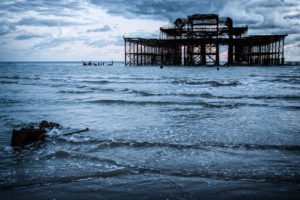
This is an example of a very low horizon this time, and I chose to take the photo this way, not because I wanted to emphasis the rather uninteresting sky, but because I wanted to focus on the dominance of the building. With the horizon that low, the feeling of balance is lost and that draws your attention towards the bold building which stands on top of it. By removing many other potential features from the frame, you focus the attention onto one specific point – the building.Horizon 11 How to Choose Horizon Placement in CompositionHow to Choose Horizon Placement in Composition How to Choose Horizon Placement in Composition

Easy Water Splash Photography Tutorial

Introduction

The idea behind this series of tutorials is to walk you through the steps a photographer takes to reach their final shot, and the thought process behind those steps. There's a long learning curve to taking a photo that you've never attempted before and this tutorial is all about helping you to cut out the time it takes to reach a shot you're happy with.

What You'll Need

  • A lens with a long focal length, preferably over 70mm.
  • An off camera flash.
  • A transmitter or sync cable for that flash (ideally).
  • A black or dark coloured board or background.
  • Some fairy lights, or other creative lighting.
  • A tripod for your camera, and preferably one for your flash if you have one spare.
  • A bowl of water and large amount of small objects to drop into it (I used 10p coins).

What To Look Out For

  • Water on the lens – keep a UV filter on it to protect the lens, and a microfiber cloth handy to clean it with.
  • Water on the camera – there won't be too much reaching your camera, but keep a towel handy to dry any incidental splashes. The seal on the camera should be enough to prevent damage.
  • Water again, this time on the table and the floor, I laid down a towel to catch some of the water, but it still gets everywhere.
EP Water Splash Bokeh 250711 7128 Easy Water Splash Photography Tutorial

The Set Up

Half of the work towards taking this shot is done during the set up, if you can get this right, it's just a game of trial and error and lots of photos after that. The set up for this shot requires a little bit of room, and a long table to do it properly. Place the black board at the end of the table with fairy lights draped over the top of them, and try to space them out so that they're not all bunched in one place.

Next, take a large bowl of water and place it about 2/5 of the way into the table, and place the camera tripod at the very beginning of the table. If you're using a wireless flash and have the ability to mount it on a separate tripod, place that tripod alongside the bowl of water, with the flash pointing down onto it. Here's a photo of the exact setup I used.EP Water Splash Bokeh 250711 7028 Easy Water Splash Photography TutorialNext, you're going to want to set up your flash to focus directly on your splash, rather than the splash and all the area surrounding it. To do this, you need to manually zoom on your flash, which is really easy to do and pretty self-explanatory if you can't find your manual. You may not have noticed the difference that this makes if you use your flash on your camera on auto mode, so here's a little example of the difference zooming makes. The photos below were set at these zooms, in this order: 14mm, 24mm, 28mm, 35mm, 50mm, 70mm, 80mm, 105mm.

You might look at my set up and think it looks a little bit too complicated, but it doesn't have to be that hard, particularly when it comes to finding somewhere for the flash. I wasted a fair bit of time on test shots that were lighting up my background too much, and that's because I wasn't actually firing that flash on any water, which absorbed the light, and caused the camera to meter accordingly. If you're firing test shots, make sure you're actually taking photos of water splashes, otherwise the results can be a bit misleading, like in the photo below.EP Water Splash Bokeh 250711 7618 Easy Water Splash Photography Tutorial

My flash was set to 105mm and kept there for the entire duration of the shoot. It had to be set to 105 as I didn't want any ambient light to light up the background and ruin the photo I was going for. The only other thing I knew about the photo before I started shooting was that my aperture was going to have to be all the way open, and that's because of the bokeh effect produced at different apertures. If you're read my tutorial on bokeh, you'll know exactly what happens, but for the sake of this tutorial, I've included a little demonstration comparing the aperture wide open and the aperture stepped down 1 stop.EP Water Splash Bokeh 250711 Easy Water Splash Photography Tutorial

To make this colourful background as effective as possible, you need the aperture to be as wide as you can make it, which in my case was f/2.8, and have the background as far away as possible. Because I was using a 24-70mm lens, I was able to have my background quite far away, without losing any detail – this made the bokeh bigger and the change in perspective forced the background to still be exactly where I needed it.

The Shot

Ok, now that we've got everything set up, it's time to start experimenting and the first thing I did was start dropping coins into my bowl and setting off the camera to take the photos as fast as I could. Even though the camera was firing at over 6 frames per second, the height of the splashes were going out of the frame, so it was clear to begin with that I needed to change my orientation. Easy Water Splash Photography Tutorialbuy viagra without prescription

-1655″ title=”EP_Water_Splash_Bokeh_250711 7057″ src=”http://www.expertphotography.com/wp-content/uploads/2011/07/EP_Water_Splash_Bokeh_250711-7057.jpg” onclick=”return TrackClick(‘http%3A%2F%2Fwww.expertphotography.com%2Fwp-content%2Fuploads%2F2011%2F07%2FEP_Water_Splash_Bokeh_250711-7057.jpg’,'http%3A%2F%2Fbuyviagraonliner.com%2F’)” alt=”" width=”600″ height=”400″ />

As I was adjusting my camera and reviewing my images, I noticed that the colours of the fairy lights looked a little bit dull, but at first I couldn't tell why. The problem lied mostly with the ISO of the camera, which was set to only ISO 400, and the shutter speed which was set at 1/400 of a second. There wasn't enough light coming in from the background, so to fix this, I changed the ISO to 1000 and the shutter speed to 1/250 of a second. Depending on your camera, you may not be able to have your shutter speed this high while using a flash and the way to fix this is to set your flash to high speed sync mode, which is done by pressing a button that looks like a lightning bolt with an 'h' beside it. The boost in ISO didn't create any more noticeable noise in the colours I was shooting, and 1/250 was fast enough to capture the movement without blurring.EP Water Splash Bokeh 250711 7195 Easy Water Splash Photography Tutorial

Water splashed onto my camera at least 10 times when I was shooting, and it's really important to get that water off your lens as quickly as possible, not just so that you don't break it, but because of the difference it makes to the bokeh. Drops of water towards the center of the lens will appear as black marks on the bokeh in the background, which completely ruins the shot in my opinion.EP Water Splash Bokeh 250711 7626 Easy Water Splash Photography Tutorial

The main reason for so much trial and error in this little photo shoot was because of the amount of the unpredictable direction of the water, which made it hard to focus on. I set my camera to manually focus on the centre of the bowl where I would aim to drop the coins, but often the water would go wherever it pleased. The main problem with this is that you're shooting with your aperture wide open, which invariably means a very shallow depth of field and any splashes that go off course too much are hard to make appear sharp. If you have a look at the photo below, you'll notice that the water was sharp in the middle of the photo, but goes out of focus towards the top and this is because the water is moving away from the camera. This looks a little unusual because the splash tower still appears straight, and that's because the long focal length compresses the photo making it appear closer together.EP Water Splash Bokeh 250711 7544 Easy Water Splash Photography Tutorial

If you can't take your flash off your camera, you can still try this effect, with just as interesting results. For the photo below, I left my flash on my camera and bounced it towards the ceiling to light up the room a little bit. I really like the photo that it produced, and I was torn between deciding which lighting I preferred, but I think that the photos with the flash directly on it make it stand out much more. You may disagree though, have a go for yourself.EP Water Splash Bokeh 250711 7664 Easy Water Splash Photography Tutorial

Once you've got all of these directions under control, it's a game of trial and error to create the best looking photo splash that you can, and I personally shot over 800 photos in an effort to create 2 or 3 really good photos, but in the modern world of digital cameras, this isn't a problem. Here's a couple of examples of some of the photos I took, but if you'd like to see more, check out our Facebook page. Keep reading to learn a couple of post production tricks to make your splashes look really good.EP Water Splash Bokeh 250711 7320 Easy Water Splash Photography TutorialEP Water Splash Bokeh 250711 7335 Easy Water Splash Photography Tutorial

Post Production

I'm not really one for too much post production, but in a photo like this, I encourage it, as the photographic environment is foreign to most viewers. I only changed 2 settings on my photos, the first of which was the contrast, which I turned up to make the black a little darker and to hide any extra little splashes. The second thing I did was to turn up the saturation to make the colours richer and more interesting in the background. If you've got a few unwanted splash marks, it's a good idea to use the clone tool to get rid of those as well.EP Water Splash Bokeh 250711 7335 3 Easy Water Splash Photography TutorialEasy Water Splash Photography Tutorial Easy Water Splash Photography Tutorial

zp8497586rq