I don’t know about you, but sometimes I can hit a brick wall, creatively speaking. And that’s why I love this trick photography and special effects ebook. It allows me to open up my eyes and mind to new and exciting photo ideas, which I may have never thought of myself.
This is Evan Sharboneau’s Trick Photography and Special Effects ebook. It’s currently available at a reduced price, for a limited time.
This ebook helps you to create some incredibly cool images, which will not only help you to be more creative, but will impress your friends too. You can view a selection of the photos here.
It’s one of the most popular photography ebooks on the market, and that’s for a pretty good reason…
Last week I conducted a survey of all my readers. I found that 40% of you said that one of the biggest problems you face is not being creative enough. A further 24% of you said that one of your favourite niches was special creative effects.
For anyone reading this, who feels that the same is true for themselves, I suggest you watch the video below, and read on.
This is more than just a 299 page trick photography and special effects ebook. There’s also 9 hours of how-to video tutorials, and over 300 creative photographs created by some of the most talented photographic artists around the world.
Pros and Cons of the eBook
Pros:
- The 60 day money back guarantee really helps, if you’re not sure about whether you should buy it or not.
- You don’t need any fancy gear to take the photos, just basic cameras with a manual mode.
- You don’t need an extensive knowledge of photography or exposure either, that’s all covered too.
- It really starts to get your creative juices flowing.
- You don’t feel like you need to copy the same ideas, because there’s plenty of inspiration to come up with your own.
- The videos were very helpful, because I don’t really like reading from a screen.
- Links for everything you may need, such as torches and accessories.
- A ridiculous amount of photos – lots of examples.
- Produces interesting photos, not flowers and sunsets.
- Easy to browse.
Cons:
- It’s very lengthy, and if you wanted to carry it with you, it would be heavy to carry, and expensive to print.
- It sometimes goes into more detail on some subjects, such as light painting, than it needs to.
- Some tricks can appear to be easier than they actually are, although a little perseverance and experience goes a long way.
Trick Photography and Special Effects ebook Contents
There are three main sections, and then inside these sections there are chapters (the bullet points below). Within these, there are further subchapters. You can jump in at any point which takes your fancy, and get started straight away.
Here’s a list of everything you can expect from the ebook and videos.
Long Exposure Effects and Light Painting (119 Pages)
- Long Exposure Effects and Light Painting
- Fundamental Lights and Techniques
- Other (more creative) Light Sources
- Light Painting Techniques
- Lightning
- Motion blur
- Star Trails
- Other fun long exposures
Trick Photography and Special Effects (92 Pages)
- In-Camera Illusions
- 3D Stereoscopic Photography
- High-Speed Photography
- Bubbles
- Smoke
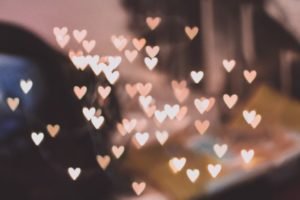
- Bokeh
- Double Exposures
- Birefringence
- HDR Photography
- Infrared Photography
- 360X180 Planet Panoramas
- Time-Displacement Photography via Scanner
Photoshop Projects (70 Pages)
- Multiplicity Photography
- Levitation Photography
- The Invisible Man #1
- The Invisible Man #2
- Flesh Manipulations
- Fake Tilt-Shift Photography
- The Droste Effect
- The Harris Shutter Effect
- Mixing Day with Night
Summary
It feels like it must have taken a very long time to complete this ebook and videos, as they’re very thorough. There are lots of tips and tricks, which I had never heard of, or thought of before. They range from using an elastic band and a wad of paper as a replacement for a shutter release cable, to using fire for light painting, and much, much more.
It really is a very extensive ebook.
If you’re looking to improve your photography, become more creative, impress your friends, and have more fun with photography, then I really don’t think you can go wrong with this trick photography and special effects ebook.
You can purchase it here. It’s reduced for a limited time, and there’s a 60 day refund period, so there’s zero risk.


When you’re shooting indoors, there’s a lot less available light so bouncing flash off a wall and shooting with a wide aperture, creates just the right amount of light to create an good exposure.
When your aperture is wide open, your depth of field is really shallow and it’s hard to find a good focal point. You can either really worry about this or not worry at all. In the photo below, shot at f/1.8, the lack of focus actually makes it look better in my opinion.
Shallow DoF helps to draw the attention to a certain part of the body, and leaves the rest blurred.
When you have mutltiple subjects in a scene, a wide aperture will only focus on 1 person, making it a great tool for selective focus in photography.
The photo below was shot wide open, which kept the background blurred, even though the subject wasn’t far away from it, and that makes the photos look a little eerier in my opinion.
To emphasise the DoF, place the subject in the scene moving away from you.
Shot in twilight, the wide aperture allowed me capture loads of natural light in the background that I wouldn’t have captured otherwise.
Be very careful where you’re focusing. Rather then focusing on her nose, I focused on the light on her cheek, underneath her sunglasses because that produced the best overall focus.
Natural light if your best friend when shooting with a wide aperture.
You can be more adventurous with placement of key features in a photo when you’re using a shallow depth of field, as the eyes will be drawn to whatever’s focused.
A wide open aperture is important when you’re shooting into the sun as the lens flare will be the same shape of your aperture, and anything other then wide open will cause the
Wide apertures are great if you want to viewer to only look at a single part of a photo.
Top Tip! If you focus on the eyes of a your subject, the rest of the face will appear in focus too, even at f/1.4.
Wide aperture allows you to capture loads of light, which means you can turn up your shutter speed and take photos while you’re walking, of other moving subjects.
If there’s movement in your photo, focus on the most still part of the photo, like the lips in the photo below.
Wide apertures are particularly effective if you’re shooting through objects in your foreground as it turns them to a soft blur.
If you’re going to be shooting with a wide aperture, consider what else you can put on that same focal plane and have multiplie points of interest in the photo. Not only was the camera focused on the model’s face, but the flowers she was reaching for too.